User Interface Widgets
This section provides the documentation on the code behind DBS Guide.
Contents
Update WidgetPatient Directory WidgetPatient Info WidgetFrame Detection WidgetRegistration WidgetAnatomical Fiducials WidgetTarget Planning WidgetIntraoperative Planning WidgetMicroelectrode Recordings WidgetPostoperative Info WidgetPostoperative Programming WidgetData View WidgetNotes Widget
1. Update Widget (Status Bar)

Module for progress update
This module informs the user of the latest action that has been performed by the graphic user interface by updating the status bar at the top of the user interface.
-
class
dbsGuideWidgets.wig_13_updateWidget.updateWidget(text)¶ Main updateWidget object
Sets up the status bar with the desired text.
Parameters: text (String) – Text to be shown as the most recent update. -
updateStatus(text)¶ Updates the status bar with text
Parameters: text (String) – Text to be shown as the most recent update.
-
2. Patient Directory Widget
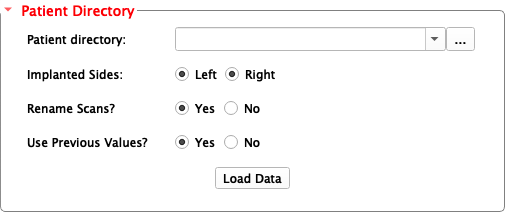
Module for defining patient directory.
This module allows the user to define the patient data directory.
-
class
dbsGuideWidgets.wig_01_patientDirectoryWidget.patientDirectoryWidget(parameters)¶ Constructor - Main patientDirectoryWidget object
Initializes the patient directory widget.
Parameters: parameters (Dictionary) – A dictionary of several important directory paths. -
onRenameScansButtonGroupClicked(button)¶ Slot for
Rename Scansbutton.Parameters: button (Macro - Integer) – The number that refers to the button that’s clicked
-
onUsePreviousValuesClicked(button)¶ Slot for
Use Previous Valuesbutton.Parameters: button (Macro - Integer) – The number that refers to the button that’s clicked
-
patient_directory_setup()¶ Confiugres patient directory widget’s form.
-
3. Patient Info Widget
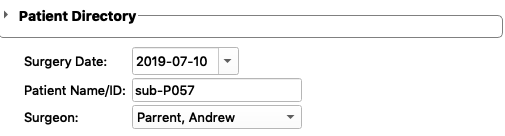
Module for providing information about the patient.
This module provides information about the date, the specific patient that is loaded, and the surgeon.
-
class
dbsGuideWidgets.wig_02_patientInfoWidget.patientInfoWidget(parameters)¶ Constructor - Main patientInfoWidget
Initializes the patient info widget.
Parameters: parameters (Dictionary) – A dictionary of several important directory paths. -
onImplantedSidesButtonGroupClicked(button)¶ Slot for
Implanted sidesbutton.Parameters: button (Macro - Integer) – The number that refers to the button clicked
-
patient_info_setup()¶ Patient info widget setup.
-
selectedDateChanged()¶ Slot for date widget.
Updates the date widget and writes to file the date that has been selected by the user.
-
updateSurgeonName()¶ Slot for surgeon name widget.
Updates the surgeon name widget and writes to file the surgeon name that has been selected by the user.
-
4. Frame Detection Widget
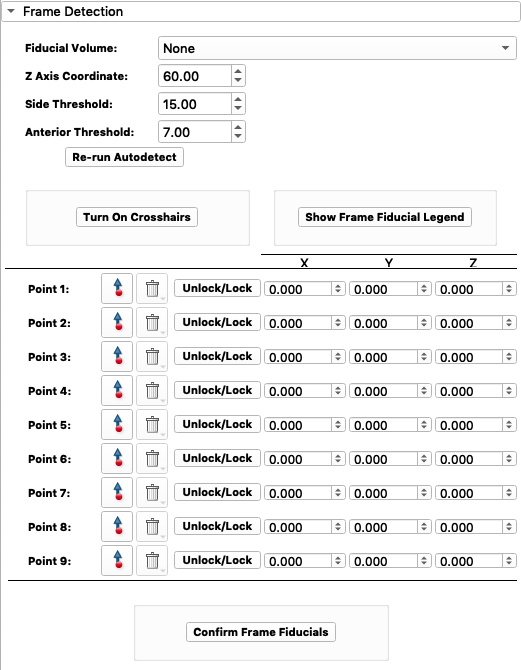
Module for detecting the stereotactic frame.
This module allows the user to define the frame fiducials on the CT image.
-
class
dbsGuideWidgets.wig_03_frameDetectionWidget.frameDetectionWidget(parameters)¶ Constructor - Main frameDetectionWidget object
Initializes the frame detection widget.
Parameters: parameters (Dictionary) – A dictionary of several important directory paths. -
calc_frame_fids_X(P1, P2, P3)¶ Calculates frame fiducial x-coordinates
Parameters: - P1 (float) – Point 1
- P2 (float) – Point 2
- P3 (float) – Point 3
Returns: arrays of the top and bottom fiducials
Return type: Numpy array
-
calc_frame_fids_Y(P1, P2, P3)¶ Calculates frame fiducial y-coordinates
Parameters: - P1 (float) – Point 1
- P2 (float) – Point 2
- P3 (float) – Point 3
Returns: arrays of the top and bottom fiducials
Return type: Numpy array
-
frame_detect_setup()¶ Setup function for frameDetectionWidget
This function sets up the frame detection widget with all the appropriate forms.
-
getFidCoords(fids)¶ Gets fiucial world coordinates.
Gets the world coordinates of the fiducial by looping through all fiducials in provided markups list node.
Parameters: fids (vtkMRMLMarkupsFiducialNode) – markups list node Returns: fiducial coordinates Return type: list array
-
lineModel(scene, point1, point2, name, color)¶ Creates line model between two points
Creates a line model between two points and displays it.
Parameters: - scene (Nodes) – MRML scene
- point1 (array) – point 1 of the line
- point2 (array) – point 2 of the line
- name (String) – name of the line model
- color (Tuple) – color of the line model
-
onCrosshairToggleFrameButton()¶ Slot for
Turn On Crosshairsbutton.Toggles crosshairs ON/OFF.
-
onFrameFidButtonGroup(button)¶ Slot for buttons within the frame fiducial button group.
-
onFrameFidConfirmButton()¶ Slot for
Confirm Frame Fiducialsbutton.Saves frame fiducials as 3D Slicer nodes and writes to patient directory as .vtk files. Finally, the frame .vtk files are displayed.
-
onFrameFidVolumeCBox(rerun=False)¶ Slot for
Fiducial Volumebox.Displays the brain scan of the patient corresponding to the fiducial volume selected.
- The list of available volumes:
- 3D T1 weighted (3D-T1W)
- Fast spin echo T2 weighted coronal view (FSEcor_T2w)
- Fast spin echo T2 weighted transverse view (FSEtra_T2W)
- 3D electodes T1 weighted (3DELECTRODE_T1w)
- Fast spin echo T2 weighted saggital view (FSEsag_T2w)
- CT scan with frame (ctFrame)
-
onP1pointClick(enabled)¶ Slot for Point 1 fiducial placement click.
Locks the point and records its coordinates.
Parameters: enabled (Boolean) – whether the point has been clicked onto the scan or not
-
onShowFrameLegendButton()¶ Slot for
Show Frame Fiducial Legendbutton.Displays frame fiducial legend.
-
5. Registration Widget
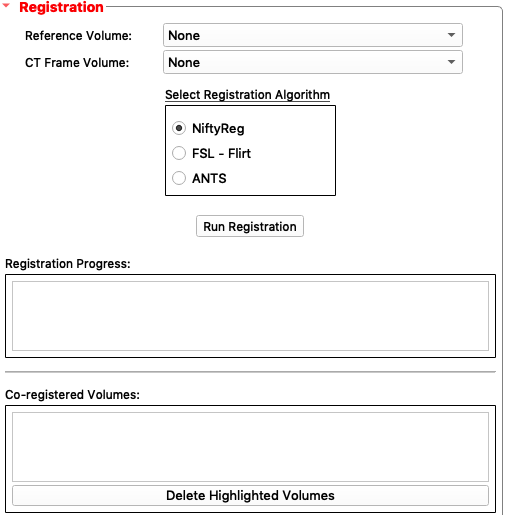
Module for running registration of nifti files.
This module runs FSL flirt registration.
-
class
dbsGuideWidgets.wig_04_registrationWidget.registrationWidget(regLogic, parameters)¶ Constructor - Main registrationWidget object
Initializes the registration widget.
Parameters: - regLogic – Registration logic
- paramters – A dictionary of several important directory paths.
-
linear_registration_setup()¶ Class setup function for widget.
This function sets up the registration widget.
-
onCTFrameVolCBox()¶ Slot for
CT Frame Volume:combo box
-
onDeleteVolume()¶ Slot for
Delete Highlighted Volumesbutton
-
onReferenceVolCBox()¶ Slot for
Reference Volume:combo box
-
onRunRegistrationButton()¶ Slot for
Run Registrationbutton
6. Anatomical Fiducials Widget
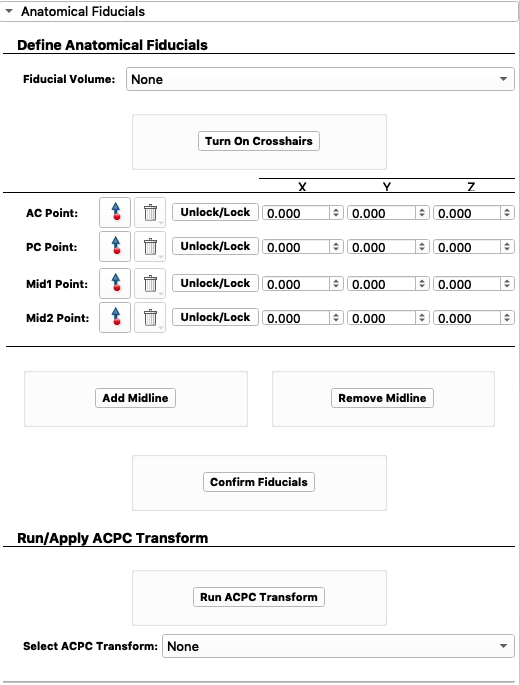
Module for placing anatomical fiducials.
This module allows the user to define several anatomical fiducial points. These points include AC, PC, and midline points.
-
class
dbsGuideWidgets.wig_05_anatomicalFiducialsWidget.anatomicalFiducialsWidget(parameters)¶ Constructor - Main anatomicalFiducialsWidget object
Initializes the Anatomical Fiducials widget.
Parameters: paramters – A dictionary of several important directory paths. -
acpc_point_setup()¶ Sets up the*
Anatomical Fiducialswidget.
-
getFidCoords(fids)¶ Gets the coordinates for fiducials.
Parameters: fids (array) – fiducials to get coordinates for Return rasCoord: The coordinates
-
onACPCTransformCBox()¶ Slot for
Select Transform:combo box
-
onACPointClick(enabled)¶ Slot for AC point clicked.
Parameters: enabled (boolean) – if the AC point is clicked
-
onAcpcTransformButton()¶ Slot for
Run ACPC Transformbutton
-
onAddMidlineButton()¶ Slot for
Add Midlinebutton.
-
onCrosshairToggleButton()¶ Slot for
Turn On Crosshairsbutton.
-
onFidConfirmButton()¶ Slot for
Confirm Fiducialsbutton.
-
onFidVolumeCBox()¶ Slot for
Fiducial Volume:combo box.
-
onMid1PointClick(enabled)¶ Slot for Mid1 point clicked.
Parameters: enabled (boolean) – if the Mid1 point is clicked
-
onMid2PointClick(enabled)¶ Slot for Mid2 point clicked.
Parameters: enabled (boolean) – if the Mid2 point is clicked
-
onMidlineFidButtonGroup(button)¶ Slots for buttons in the midline fiducial button group
Parameters: button (Integer) – button that was clicked
-
onPCPointClick(enabled)¶ Slot for PC point clicked.
Parameters: enabled (boolean) – if the PC point is clicked
-
onRemoveMidlineButton()¶ Slot for
Remove Midlinebutton.
-
7. Target Planning Widget
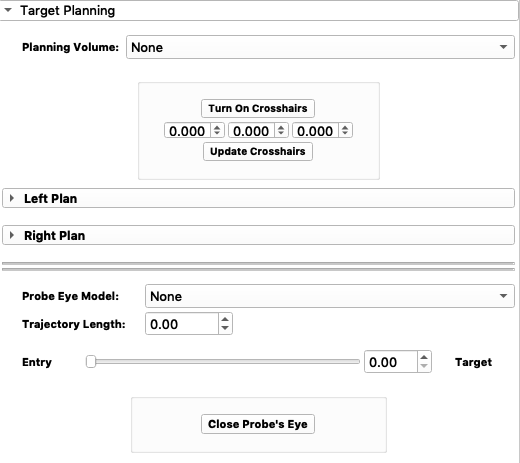
Module for target planning.
This module provides target planning capabilities for the surgeon.
-
class
dbsGuideWidgets.wig_06_targetPlanningWidget.targetPlanningWidget(parameters)¶ Constructor - Main targetPlanningWidget object
Initiates the targetPlanningWidget
Parameters: paramters – A dictionary of several important directory paths. -
get_model_point(node)¶ Gets model point.
Parameters: node – the node for which the model point is requested Return point_Ras: the model point
-
norm_vec(P1, P2)¶ Creates a normal vector between two points.
Parameters: - P1 (Array - coordinates) – Point 1
- P2 (Array - coordinates) – Point 2
Return NormVec: The normal vector
-
onCrosshairTogglePlanningButton()¶ Slot for
Turn On Crosshairsbutton
-
onFrameSliderValueChanged(newValue)¶ Slot for
EntrytoTargetsliderParameters: newValue (Integer) – the new value tha the slider is set to
-
onLeftButtonGroupClicked(button)¶ Slot for
Left Plan - Plot Planned Leadbutton group.Parameters: button (Integer) – id of the button clicked
-
onLeftElecModelButtonGroup()¶ Slot for electrode type in
Left Plan - Electrode:
-
onLeftEntryCoordConfirmButton()¶ Slot for confirming left entry coordinates
-
onLeftEntryJumpButton()¶ Slot for
Jump to...button underLeft Plan - Entry:
-
onLeftEntryMoveButton()¶ Slot for when the
Left Plan - Entry buttonis moved.
-
onLeftEntryPointClick(enabled)¶ Slot for
Left Plan - Entry:point button clickedParameters: enabled (Boolean) – status of button enabled
-
onLeftMERTracksButton(button)¶ Slot for
Left Plan - Plot MER Tracksbutton group.Parameters: button (Integer) – id of the button clicked
-
onLeftTargetCoordConfirmButton()¶ Slot for
Confirm Left Planbutton underLeft Plan
-
onLeftTargetJumpButton()¶ Slot for
Jump to...button underLeft Plan - Target:
-
onLeftTargetMoveButton()¶ Slot for when the
Left Plan - Target buttonis moved.
-
onLeftTargetPlanningExpand(collapsed)¶ Slot for when
Left Plancollapsible button is expanded.Parameters: collapsed (Boolean) – the state of the button (collapsed or not)
-
onLeftTargetPointClick(enabled)¶ Slot for
Left Plan - Target:point button clickedParameters: enabled (Boolean) – status of button enabled
-
onMouseMovedPlanning(observer, eventid)¶ Slot for when the the cross hair node has been relocated.
Parameters: - observer – observer
- eventid – event ID
-
onPlannedPreopConfirmButton(button)¶ Slot for Planned Preop Confirm button
Parameters: button (Integer) – ID of button
-
onPlanningVolumeCBox()¶ Slot for
Planning Volumecombo box.
-
onProbeEyeCBox()¶ Slot for
Probe Eye Modelcombo box.
-
onProbeEyeClose()¶ Slot for
Close Probe's Eyebutton.
-
onRightButtonGroupClicked(button)¶ Slot for
Right Plan - Plot Planned Leadbutton group.Parameters: button (Integer) – id of the button clicked
-
onRightElecModelButtonGroup()¶ Slot for electrode type in
Right Plan - Electrode:
-
onRightEntryCoordConfirmButton()¶ Slot for confirming right entry coordinates
-
onRightEntryJumpButton()¶ Slot for
Jump to...button underRight Plan - Entry:
-
onRightEntryMoveButton()¶ Slot for when the
Right Plan - Entry buttonis moved.
-
onRightEntryPointClick(enabled)¶ Slot for
Right Plan - Entry:point button clickedParameters: enabled (Boolean) – status of button enabled
-
onRightMERTracksButton(button)¶ Slot for
Right Plan - Plot MER Tracksbutton group.Parameters: button (Integer) – id of the button clicked
-
onRightTargetCoordConfirmButton()¶ Slot for
Confirm Left Planbutton underLeft Plan
-
onRightTargetJumpButton()¶ Slot for
Jump to...button underRight Plan - Target:
-
onRightTargetMoveButton()¶ Slot for when the
Right Plan - Target buttonis moved.
-
onRightTargetPlanningExpand(collapsed)¶ Slot for when
Right Plancollapsible button is expanded.Parameters: collapsed (Boolean) – the state of the button (collapsed or not)
-
onRightTargetPointClick(enabled)¶ Slot for
Right Plan - Target:point button clickedParameters: enabled (Boolean) – status of button enabled
-
onSelectAllLeftMERClicked(button)¶ Slot for
Allbutton inLeft Plan - MER TracksParameters: button (Boolean) – status of button being clicked
-
onSelectAllRightMERClicked(button)¶ Slot for
Allbutton inRight Plan - MER TracksParameters: button (Boolean) – status of button being clicked
-
onUpdateCrosshairPlanning()¶ Slot for
Update Crosshairsbutton
-
reslice_on_path(p0, pN, orientation=0)¶ Modifies the slice node to be resliced on a specific path
Parameters: - p0 (array - coordinates) – point 0
- pN (array - coordinates) – point N
- orientation (Integer) – the orientation, default set to 0
-
target_planning_setup()¶ Sets up the
Target Planningwidget.
-
8. Intraoperative Planning Widget
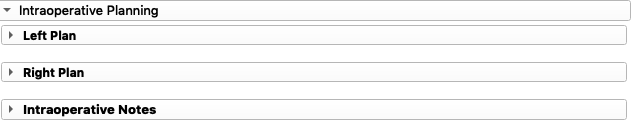
Module for intraoperative planning.
This module provides manipulation of the pre-operative plan during the operation.
-
class
dbsGuideWidgets.wig_07_intraopPlanningWidget.intraopPlanningWidget(parameters)¶ Constructor - Main intraopPlanningWidget object
Initializes the
Intraoperative Planningwidget.-
intraop_planning_setup()¶ Sets up the intraoperative planning widget.
-
onLeftButtonGroupIntraopClicked(button)¶ Slot for selection of
Plot Planned LeadunderLeft PlanParameters: button (Integer) – id of button clicked
-
onLeftIntraopPlanningExpand(collapsed)¶ Slot for
Left Plancollapsible button.Parameters: collapsed (Boolean) – status of button - expanded/collapsed
-
onLeftMERTracksIntraopButton(button)¶ Slot for selection of
Plot MER TracksunderLeft PlanParameters: button (Integer) – id of button clicked
-
onLeftTrajUsedButtonGroup()¶ Slot for selection of
Trajectory usedunderLeft Plan
-
onNotesWidgetExpand(collapsed)¶ Slot for
Intraoperative Notescollapsible button.Parameters: collapsed (Boolean) – status of button - expanded/collapsed
-
onRightButtonGroupIntraopClicked(button)¶ Slot for selection of
Plot Planned LeadunderRight PlanParameters: button (Integer) – id of button clicked
-
onRightIntraopPlanningExpand(collapsed)¶ Slot for
Right Plancollapsible button.Parameters: collapsed (Boolean) – status of button - expanded/collapsed
-
onRightMERTracksIntraopButton(button)¶ Slot for selection of
Plot MER TracksunderRight PlanParameters: button (Integer) – id of button clicked
-
onRightTrajUsedButtonGroup()¶ Slot for selection of
Trajectory usedunderRight Plan
-
onUpdatePlannedLeads(button)¶ Slot for
Update PlanbuttonsParameters: button (Integer) – id of button clicked -2 for left, -3 for right
-
9. Microelectrode Recordings Widget
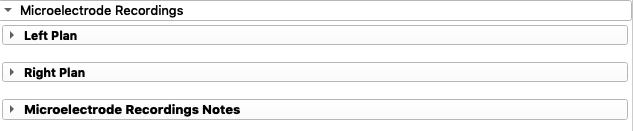
Module for intraoperative microelectrode recordings.
This module allows input of recordings depths of the target nucleus using intraoperaive microelectrode recordings.
-
class
dbsGuideWidgets.wig_08_intraopMicroelectrodeWidget.intraopMicroelectrodeWidget(parameters)¶ -
intraop_microelectrode_setup()¶ Sets up the intraoperative microelectrode recordings widget display configuration.
-
onIntraopMERConfirmButton(button)¶ Slot for
Confirm MERbutton.Parameters: button (Integer) – id of button clicked
-
onLeftMERActivityPlotClicked(button)¶ Slot for selection of
Plot MER TracksunderLeft PlanParameters: button (Integer) – id of button clicked
-
onLeftMicroelectrodeExpand(collapsed)¶ Slot for
Left Plancollapsible button.Parameters: collapsed (Boolean) – status of button - expanded/collapsed
-
onLeftTrajNoMERButton(button)¶ Slot for trajectory used under
Left PlanParameters: button (Integer) – id of button clicked
-
onNotesWidgetExpand(collapsed)¶ Slot for
Microelctrode Recordings Notescollapsible button.Parameters: collapsed (Boolean) – status of button - expanded/collapsed
-
onRightMERActivityPlotClicked(button)¶ Slot for selection of
Plot MER TracksunderRight PlanParameters: button (Integer) – id of button clicked
-
onRightMicroelectrodeExpand(collapsed)¶ Slot for
Right Plancollapsible button.Parameters: collapsed (Boolean) – status of button - expanded/collapsed
-
onRightTrajNoMERButton(button)¶ Slot for trajectory used under
Right PlanParameters: button (Integer) – id of button clicked
-
10. Postoperative Info Widget
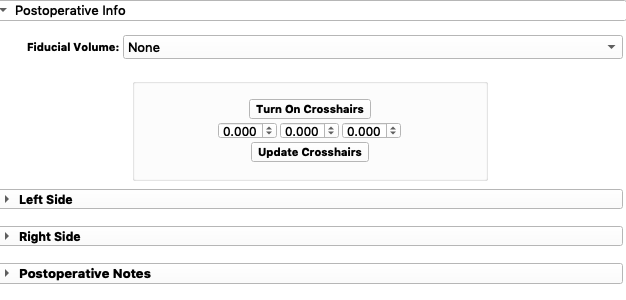
Module for post-operative electrode localization.
This module allows the user to define the location of the implanted electrodes using post-operative images (CT or MRI).
-
class
dbsGuideWidgets.wig_09_postopElectrodeWidget.postopElectrodeWidget(parameters)¶ -
onActualElecPlotButton(button)¶ Slot for
Update ActivitybuttonParameters: button (Integer) – id of the button clicked (left/right side)
-
onCrosshairTogglePostButton()¶ Slot for
Turn On Crosshairsbutton
-
onElecLBpointClick(enabled)¶ Slot for
Elect Bot:point button clicked underLeft PlanParameters: enabled (Boolean) – status of button enabled
-
onElecLTpointClick(enabled)¶ Slot for
Elect Top:point button clicked underLeft PlanParameters: enabled (Boolean) – status of button enabled
-
onElecRBpointClick(enabled)¶ Slot for
Elect bot:point button clicked underRight PlanParameters: enabled (Boolean) – status of button enabled
-
onElecRTpointClick(enabled)¶ Slot for
Elect Top:point button clicked underRight PlanParameters: enabled (Boolean) – status of button enabled
-
onElectrodeFidButton(button)¶ Slot for Electrode fiducial buttons
Parameters: button (Integer) – button ID
-
onFidVolumeElecBox()¶ Slot for
Fiducial Volume:combo box
-
onLeftActualElecButtonGroupClicked(button)¶ Slot for
Plot Actual Lead:button group underLeft PlanParameters: button (Integer) – id of the button clicked
-
onLeftActualElectrodeExpand(collapsed)¶ Slot for
Left Sidecollapsible button.Parameters: collapsed (Boolean) – status of button - expanded/collapsed
-
onLeftActualMERTracksButtonGroupClicked(button)¶ Slot for
Plot MER Tracks:button group underLeft PlanParameters: button (Integer) – id of the button clicked
-
onMouseMovedPost(observer, eventid)¶ Slot for when the the cross hair node has been relocated. :param observer: observer :param eventid: event ID
-
onNotesWidgetExpand(collapsed)¶ Slot for
Postoperative Notescollapsible button.Parameters: collapsed (Boolean) – status of button - expanded/collapsed
-
onPostopMERConfirmButton(button)¶ Slot for
Confirm ElectrodebuttonParameters: button (Integer) – id of the button clicked (right or left side)
-
onRightActualElecButtonGroupClicked(button)¶ Slot for
Plot Actual Lead:button group underRight PlanParameters: button (Integer) – id of the button clicked
-
onRightActualElectrodeExpand(collapsed)¶ Slot for
Right Sidecollapsible button.Parameters: collapsed (Boolean) – status of button - expanded/collapsed
-
onRightActualMERTracksButtonGroupClicked(button)¶ Slot for
Plot MER Tracks:button group underRight PlanParameters: button (Integer) – id of the button clicked
-
onUpdateCrosshairPost()¶ Slot for
Update Crosshairsbutton
-
postop_setup()¶ Sets up the
Postoperative Infowidget display configuration.
-
11. Postoperative Programming Widget

Module for Postoperative Programming widget.
This module is used to program the visualization postoperative.
-
class
dbsGuideWidgets.wig_11_postopProgrammingWidget.postopProgrammingWidget(parameters)¶ Constructor - Main dataVisualizationWidget object
Initiates the
Data ViewwidgetParameters: - dataVisibility – Data visibility
- paramters – A dictionary of several important directory paths.
-
onLeftElecModelButtonGroup()¶ Slot for button group belonging to
Electrode:underLeft Electrode
-
onLeftElecNumberButtonGroup(button)¶ Slot for button group belonging to
Channel:underLeft Electrode
-
onLeftPostopProgrammingExpand(collapsed)¶ Slot for
Left Electrodecollapsible button.Parameters: collapsed (Boolean) – status of button - expanded/collapsed
-
onLeftShowElectrodeDiagramButton()¶ Slot for
Electrode Diagrambutton belonging toLeft Electrode
-
onRightElecModelButtonGroup()¶ Slot for button group belonging to
Electrode:underRight Electrode
-
onRightElecNumberButtonGroup(button)¶ Slot for button group belonging to
Channel:underRight Electrode
-
onRightPostopProgrammingExpand(collapsed)¶ Slot for
Right Electrodecollapsible button.Parameters: collapsed (Boolean) – status of button - expanded/collapsed
-
onRightShowElectrodeDiagramButton()¶ Slot for
Electrode Diagrambutton belonging toRight Electrode
-
postop_programming_setup()¶ Sets up the postoperative planning widget.
12. Data View Widget
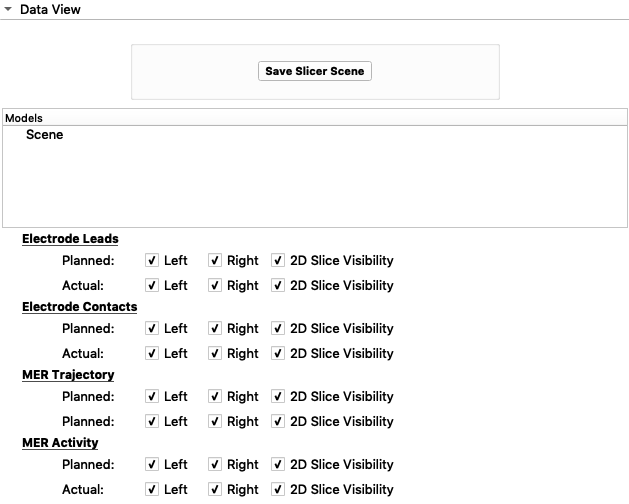
Module for manipulating what data models are shown.
This module provides the user the capability of turning model data OFF/ON within the 3D view and slice view.
-
class
dbsGuideWidgets.wig_10_dataVisualizationWidget.dataVisualizationWidget(dataVisibility, parameters)¶ Constructor - Main dataVisualizationWidget object
Initiates the
Data ViewwidgetParameters: - dataVisibility – Data visibility
- paramters – A dictionary of several important directory paths.
-
data_view_setup()¶ Sets up the
Data Viewwidget display configuration
-
hex2rgb(hx)¶ Changes colour mode from HEX to RGB
Parameters: color (string) – color in RGB Return rgb: the RGB equivalent of the given HEX Return type: Tuple
-
onActualContactButtonGroupClicked(button)¶ Slot for button group belonging to
Electrode Contacts - Actual:Parameters: button (Integer) – ID of the button selected
-
onActualContactColorChange(color)¶ Slot for change in colour of
Electrode Contacts - Actual:Parameters: color – the new color that was selected
-
onActualLeadButtonGroupClicked(button)¶ Slot for button group belonging to
Electrode Leads - Actual:Parameters: button (Integer) – ID of the button selected
-
onActualLeadColorChange(color)¶ Slot for change in colour of
Electrode Leads - Actual:Parameters: color – the new color that was selected
-
onActualMERActivityColorChange(color)¶ Slot for change in colour of
MER Activity - Actual:Parameters: color – the new color that was selected
-
onActualMERSTNButtonGroupClicked(button)¶ Slot for button group belonging to
MER Activity - Planned:Parameters: button (Integer) – ID of the button selected
-
onActualMERTrackColorChange(color)¶ Slot for change in colour of
MER Trajectory - Actual:Parameters: color – the new color that was selected
-
onActualMERTracksButtonGroupClicked(button)¶ Slot for button group belonging to
MER Trajectory - Actual:Parameters: button (Integer) – ID of the button selected
-
onPlannedContactButtonGroupClicked(button)¶ Slot for button group belonging to
Electrode Contacts - Planned:Parameters: button (Integer) – ID of the button selected
-
onPlannedContactColorChange(color)¶ Slot for change in colour of
Electrode Contacts - Planned:Parameters: color – the new color that was selected
-
onPlannedLeadButtonGroupClicked(button)¶ Slot for button group belonging to
Electrode Leads - Planned:Parameters: button (Integer) – ID of the button selected
-
onPlannedLeadColorChange(color)¶ Slot for change in colour of
Electrode Leads - Planned:Parameters: color – the new color that was selected
-
onPlannedMERActivityColorChange(color)¶ Slot for change in colour of
MER Activity - Planned:Parameters: color – the new color that was selected
-
onPlannedMERSTNButtonGroupClicked(button)¶ Slot for button group belonging to
MER Activity - Planned:Parameters: button (Integer) – ID of the button selected
-
onPlannedMERTrackColorChange(color)¶ Slot for change in colour of
MER Trajectory - Planned:Parameters: color – the new color that was selected
-
onPlannedMERTracksButtonGroupClicked(button)¶ Slot for button group belonging to
MER Trajectory - Planned:Parameters: button (Integer) – ID of the button selected
-
onSaveSceneButton()¶ Slot for
Save Slicer Scenebutton.
-
rgbToHex(color)¶ Changes colour mode from RGB to HEX
Parameters: color (tuple) – color in RGB Return rgb2hex: the HEX equivalent of the given RGB Return type: String
13. Notes Widget
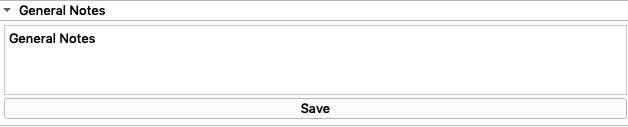
Module for notes box
This module creates a notes box for the user interface and saves any typed notes to the patient data directory as a .txt file.
-
class
dbsGuideWidgets.wig_12_notesWidget.notesWidget(parameters, plainText, title, extension)¶ Main NotesWidget object. Initializes the notes box with the desired title of the notes in the notes box. The notes box is closed/collapsed by default. If the user needs to enter notes, the user can expand the notes box and start typing.
Parameters: - parameters (Dictionary) – A dictionary of several important directory paths.`
- plainText – Text to be included inside text box by defualt.
- title (String) – Title of notes box collapsible button
- extension (String) – Text for file to be saved as.
-
notes_setup()¶ Sets up the notes widget
Connects the ‘save button’ with onSaveNotesButton.
-
onSaveNotesButton(button)¶ Slot for save button
Saves notes once
Savebutton is clicked.Parameters: button (Boolean) – The status of the button.